Showing posts with label CFD. Show all posts

25 Apr 2014

Kinetic Energy Recovery Systems


In F1 one of the technologies uses is the KERS (Kinetic Energy Recovery Systems) also known as Hybrid Power System. The KERS are used within the automotive racing industry in order to reuse the kinetic energy under braking. This recovered energy is then stored in a flywheel or high voltage batteries. This is why when the system came into F1 the engineers were all spotted wearing protective gloves when attending to the cars. These systems are now also incorporated into public transport (such as the Cambridge Passenger/Commercial Vehicle Kinetic Energy recovery System.

KERS has tended to be at the higher end of the Motorsport industry, however now seems to be slowly moving towards making road going cars more green. GKN is to acquire the Williams Hybrid Power and re brand it as GKN Hybrid Power.


This change could offer up to 30% reductions in emissions simply by harvesting the energy that is lost through heat under braking. Another great example of how an often scrutinised sport is really the driving force and leader for what we may next see in our everyday cars (Perhaps not 120kW of addition power though)! 


Williams F1 have also been utilising Autodesk Simulation CFD motion to great use on the aerodynamics of the vehicle. Check out the improvements to the software in the 2015 release.

JLA

31 Mar 2014

Free Surface modelling in Simulation CFD 2014

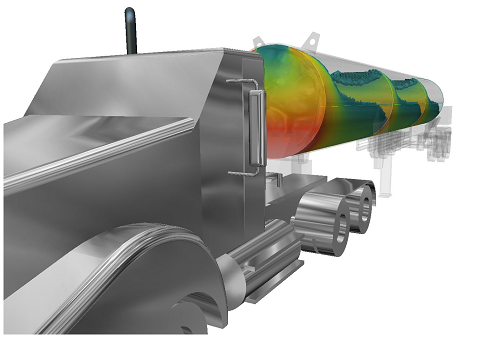
The 2014 release of Autodesk Simulation CFD Advanced/Motion brought with it the ability to simulate free surfaces in liquid volumes.  The applications of this are numerous and range from sloshing in tanks, the path of free flowing water, and hydrodynamic pumps and propulsion.


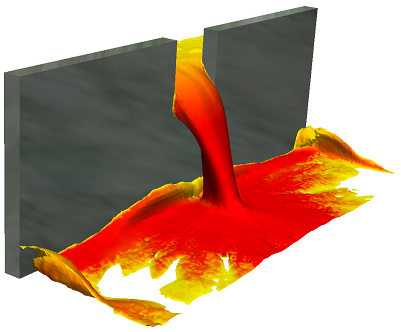
While the mathematical functions behind it are extremely complex, the setup of free surface is actually very simple.  Here's a quick start guide to getting yourself up and running with a free surface analysis in Sim CFD.  Keep the following image of fluid pouring through a gate in mind for our example.


1) Model only your fluid volumes.  You will need at least 2 distinct solid bodies.  Model a reservoir and a basin, and the gap that they will pass through (the gap can be part of the basin volume).  There's no need to model anything else, since you will only be concerned with flow rather than heat transfer, unless you want to take wall roughness into account.

2) Launch your model into Sim CFD from the tab in Inventor.

3) Apply materials.  All volumes should be the same e.g. water, even the initially empty volumes

4) Skip boundary conditions.  We don't need any boundary conditions for this analysis since it is self-contained i.e. nothing enters or leaves the system.

5) Add an HOF initial condition to the reservoir fluid volume only - set the value to 1.  HOF (height of fluid) is an on/off value (0 or 1) that instructs the application as to which particular fluid volume is filled at the start of the analysis.  Any volumes not designated a height will be seen as empty.

6) Open the Solve dialogue.  
- On the Physics tab, click Free Surface and check the Enable Free Surface box.  Enter your gravity direction, which is usually negative Z (0,0,-1) but your model may vary.
- On the Control tab, the Solution Mode will default to Transient.  You will want to set more save intervals than usual for smooth fluid flow visualisation at the end of your solve.
- Choose a large number of Time Steps (1000+) to Run then click Solve.

7) To visualise the results:  right-click in space and choose Free Surface.  You will then see the HOF value in action throughout the solution.  For planes and ISO surfaces, choose VOF and plot as required.  VOF at 0.5 represents the fluid-gas boundary.

S.C.

10 Oct 2013

Simulating and saving cash

CFD (or Computational Fluid Dynamics) is another rapidly growing simulation environment that is being utilised with ever increasing popularity in the engineering world. This cost and time saving facility is a base of numerical solutions that allow users and their companies to build environments simulating fluid and heat flow.

As you can imagine in certain industries, (Oil and gas for instance) testing for miles of transportation piping networks would be colossal in terms physical practice. CFD simulation packages however enable us to develop and apply physical changes without increasing labour, material usage and that ever increasing importance of lowering carbon footprint.

Autodesk is running a competitive Simulation CFD package, after consuming Blue Ridge and developing the program  further (previously known as CFdesign), this product is now fully available and from recent use I can confirm it has an easy to use interface with fully developed numerical solutions to manufacturers problems. 

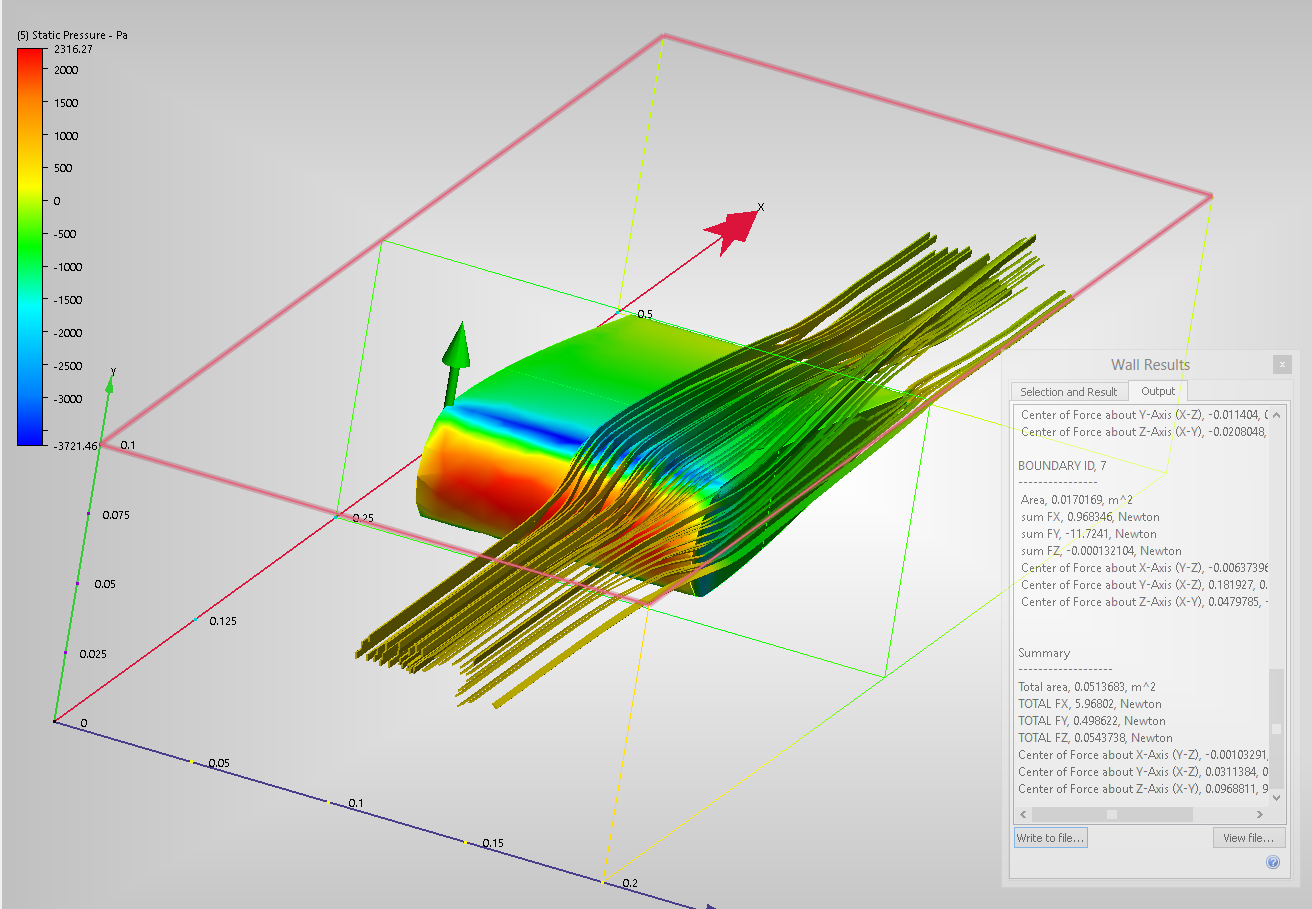
I spent less than 5 minutes knocking up a simple Aerofoil, of which I saved and placed into Simulation CFD as a parasolid.xt. After getting to know the software and applying the correct parameters I had a fully working model that was showing vector displacement, ribbon flows and aerodynamic forces working on the aerofoil. This aerofoil above was run using external incompressible flow. 


Autodesk website has a fairly extensive list of tutorials that are easy to run depending on your modelling skills:

http://www.autodesk.com/wikihelp-cfd-tutorial-2014-enu

23 Feb 2011

Autodesk to Acquire Blue Ridge Numerics, Inc.

Autodesk have announced an agreement to acquire Blue Ridge Numerics Inc. the developer of the popular CFD (Computational Fluid Dynamics) analysis application CFDesign.

27 Jan 2010

Autodesk Algor Simulation Express for Autodesk Inventor

Experience Autodesk Algor Simulation software by downloading the free Autodesk Algor Simulation Express software - an engineering simulation tool that allows you to perform a first pass of design validation and optimization before manufacturing.

Autodesk Algor Simulation Express software is an engineering simulation tool that allows you to perform a first pass of design validation and optimization before manufacturing. It allows designers and engineers to perform linear static stress analysis of single-part CAD models and virtually test the behavior of product designs, speed up time to market and make better, safer products at a lower cost.

Autodesk Algor Simulation Express software helps introduce manufacturers to the Autodesk Algor Simulation product line, part of the Autodesk solution for Digital Prototyping. The Autodesk Algor Simulation products provide a wide range of tools to help perform accurate, efficient simulations and collaborate in a multi-CAD environment.

By providing an entire range of validation and optimization tools within the same easy-to-use interface, Autodesk Algor Simulation software lets designers and engineers start with mainstream tools and then expand their toolkit to include more advanced analysis such as Mechanical Event Simulation (MES) and Computational Fluid Dynamics (CFD) - without the need to learn new workflows.